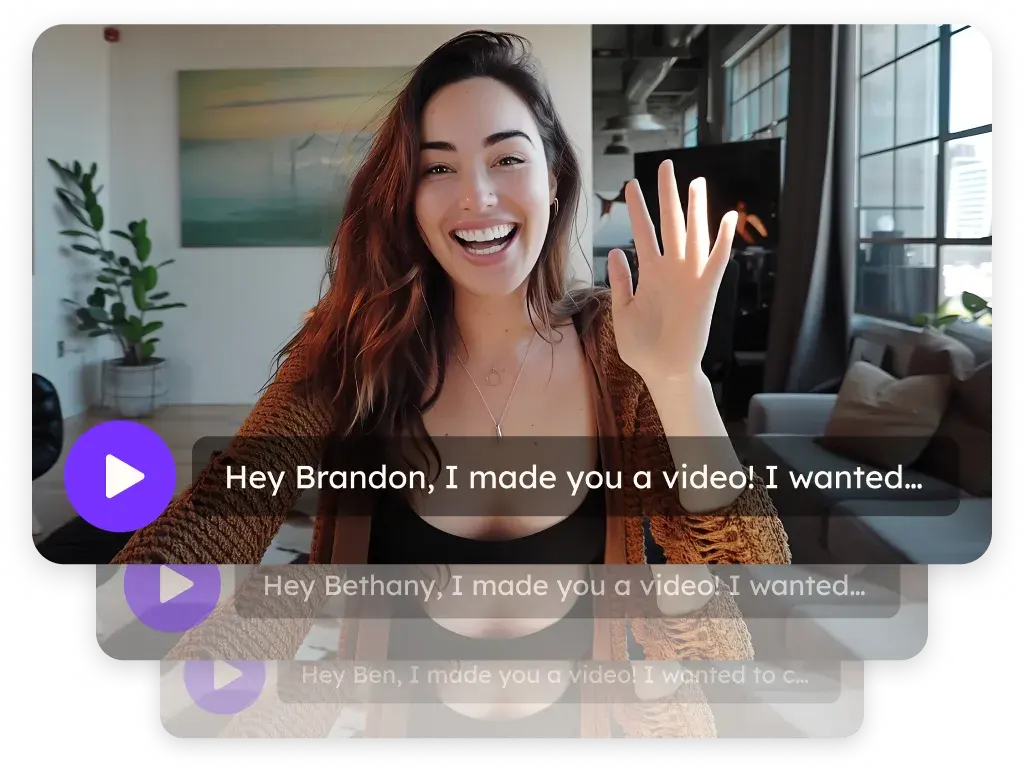
Sendspark Outreach integration for personalized video in sequences
Sendspark works inside Outreach three ways: record from the Sendspark icon in the Outreach email toolbar (an instant integration), paste a personalized video snippet into Outreach templates and sequences, and let Agentic Workflows create a video when a prospect is enrolled in a sequence. It's built for SDRs and AEs who live in Outreach sequences. Sendspark is an AI personalized video platform: you record one video and it creates a personalized version for every prospect.
 SOC 2 Type II
- Read reviews on G2


Sendspark and Outreach at a glance
- Integration type
- Instant integration, share snippet, Agentic Workflows connection and calendar embed
- How data moves
- You record from Outreach or paste a Sendspark snippet into an Outreach template. With Agentic Workflows, Outreach events (Prospect Enrolled in a Sequence) start video creation in Sendspark, and Sendspark can find a prospect and add them to a sequence. Views and clicks are tracked in Sendspark.
- Plan
- Agentic Workflows: Growth and above.
- What you need
- Chrome with the Sendspark Chrome extension for the toolbar icon; Outreach Admin access to connect the Sendspark Outreach app for Agentic Workflows.
- Setup guides
- On Outreach's side
- About Outreach
Every step in the sequence reads like every other rep's sequence
Reps either send the same plain-text steps everyone else sends or spend their afternoons recording one-off videos that never scale past a handful of accounts. Personal touches get cut first when the queue fills up, so the sequence stays generic.
How to use Sendspark with Outreach
- 1
Open an email or template in Outreach
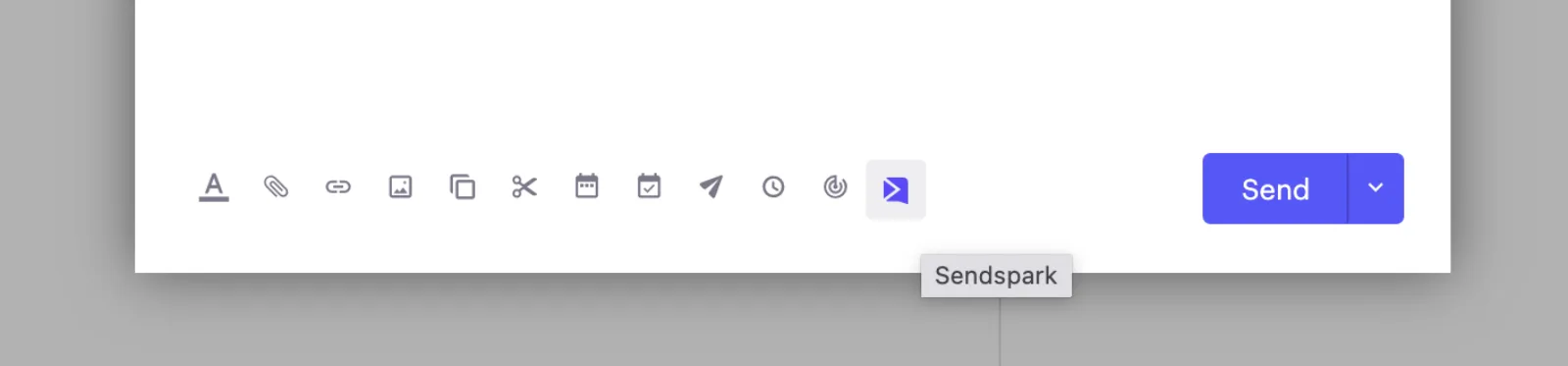
With the Sendspark Chrome extension installed, open any email or template in Outreach in Chrome and you'll see the Sendspark icon in the email toolbar.
- 2
Record and paste a Linked GIF
Click the icon, choose Record New Video, record your camera, screen or both, then click Copy Linked GIF and paste it into the email. When Outreach asks about formatted or unformatted text, either works.
- 3
Copy the Outreach snippet for a personalized video
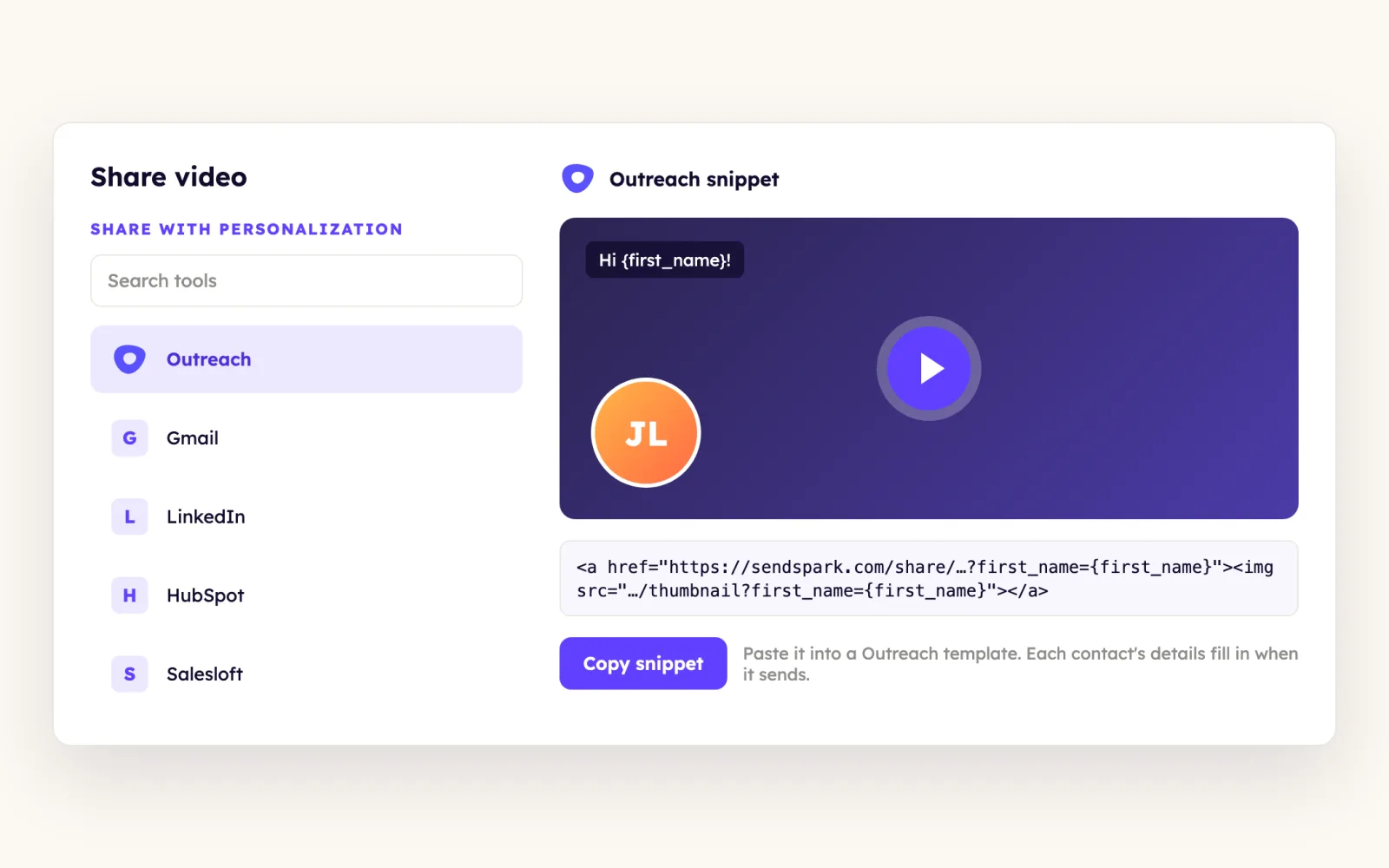
For one video sent to many prospects, add merge tags in Sendspark, then go to Share Video, Share with Personalization, Outreach and click Copy Snippet. If Outreach isn't listed, use Edit/Add to add it to your shortcuts.
- 4
Paste it into an Outreach template
Create a template in Outreach, paste the snippet and save. Use the template in sequences or direct emails, and each prospect's tokens fill in when it sends.
- 5
Create videos when prospects enter a sequence
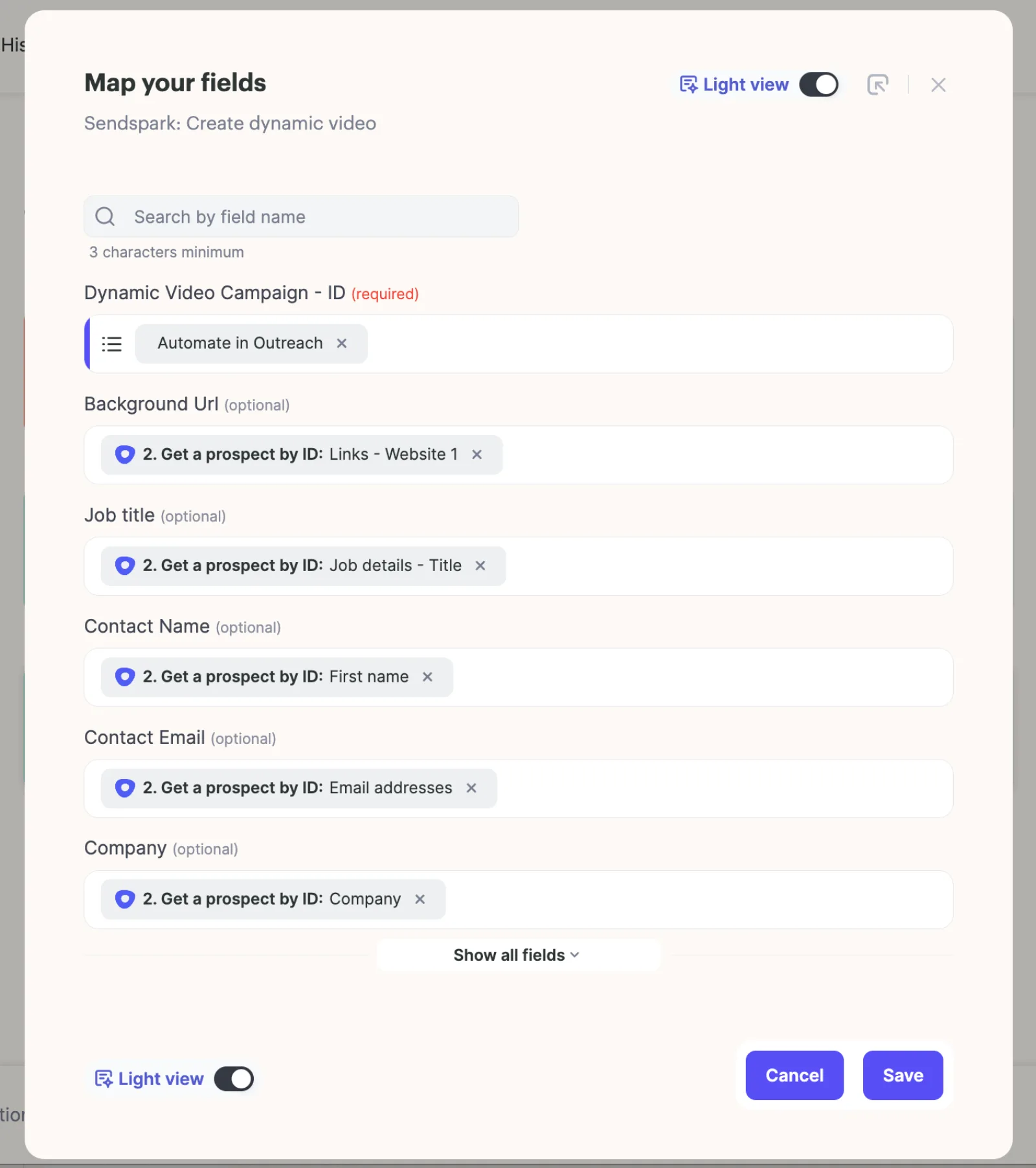
In Agentic Workflows, set the trigger to Outreach, Prospect Enrolled in a Sequence, add the Sendspark Create dynamic video action, and map the Outreach prospect fields, including email.
What teams do with Sendspark and Outreach
Every prospect enrolled in a sequence gets their own AI video
Paste the Dynamic Video Snippet from Share Campaign into a later step of your Outreach sequence, then trigger Create dynamic video on Prospect Enrolled in a Sequence. Leave a short delay before that step sends so each video has time to generate.
Read the guideNew videos enroll prospects in Outreach for you
Start a workflow from any trigger, such as a generated video, then chain Outreach, Find Prospect By Email Address and Outreach, Add Prospect to Sequence with the Sequence ID, Prospect ID and Mailbox ID. If the prospect may not exist yet, add a router and an Outreach, Create Prospect step.
Read the guideProspects book from your Outreach calendar on the video page
Under your video, turn Calendar on, pick Outreach as the provider and paste your Outreach calendar link, not the embed code. Save it in a template so every new video carries it.
Read the guideWhat Outreach data personalizes each video
- Merge tags for first name, company name and job title in the video page and thumbnail; Outreach tokens fill them when the template sends, and fallback text shows when a value is missing.
- Dynamic video campaigns can map Outreach prospect fields such as website (as the background URL), title, first name, company and email.
- Email is the match key: the prospect needs the same email address in Outreach and Sendspark, or the preview shows the default video.
- The placeholder method works when everyone in the sequence gets a video from the same dynamic video campaign; multiple senders in one sequence need a different setup.
- Prospects see an animated GIF preview in the email and click through to a personalized landing page.
Where you see who watched from Outreach
Views, watch time and CTA clicks are tracked in Sendspark video analytics and Team Insights.
Explore Video AnalyticsSendspark and Outreach: frequently asked questions
Does Sendspark integrate with Outreach?
Yes. With the Sendspark Chrome extension you get a Sendspark icon in the Outreach email toolbar to record and paste videos, you can paste personalized video snippets into Outreach templates, and Agentic Workflows can use Outreach triggers and actions.
Why don't I see the Sendspark icon in Outreach?
You need the Sendspark Chrome extension installed and you need to be using Chrome. Once it's installed, the icon appears in the Outreach email toolbar on its own.
Why isn't my video showing when I preview in Outreach?
Usually you're previewing a prospect you haven't generated a video for. Check that a video exists in Sendspark for that prospect and that their email address matches in both tools.
Why isn't my prospect being added to the Outreach sequence?
The Add Prospect to Sequence step needs the Prospect ID, not the email, so add Find Prospect By Email Address first. If it still fails, the prospect probably doesn't exist in Outreach yet, so add Create Prospect.
Which Sendspark plan do I need for Outreach automation?
Agentic Workflows, which power the Outreach triggers and actions, are on Growth and above. You'll also need Outreach Admin access to connect the Sendspark Outreach app.
Updated


Make your next outreach personal.
Record one video and let Sendspark do the rest.