Personalized video for sales prospecting
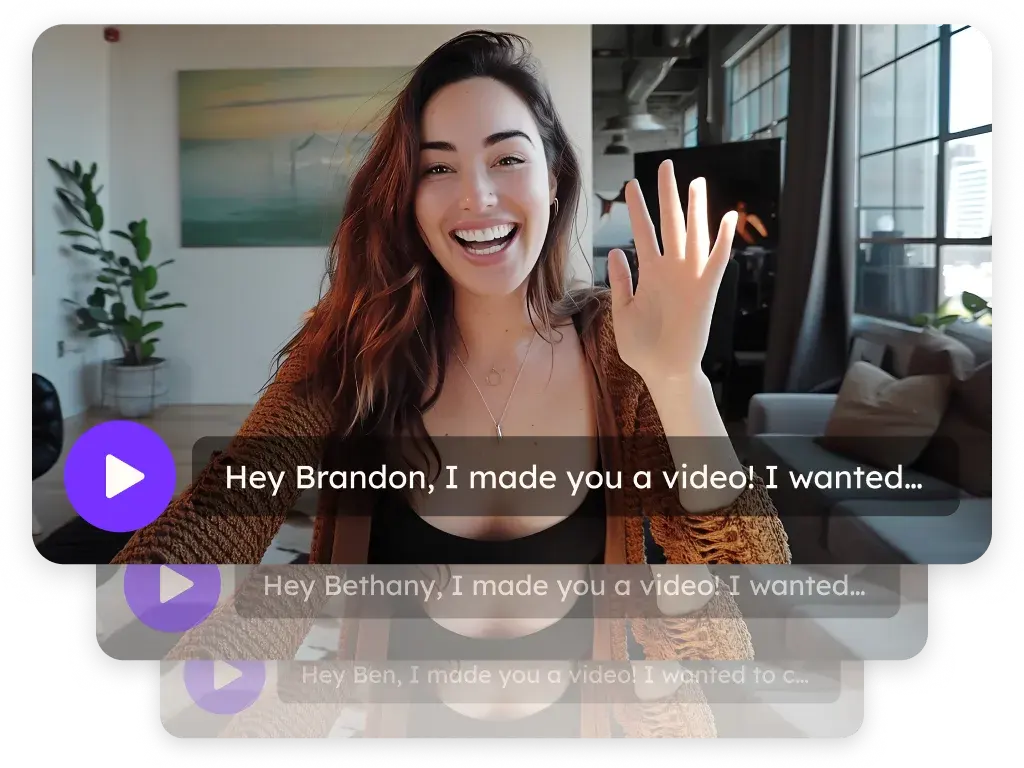
Sendspark is an AI personalized video platform for B2B sales teams. Record one video, and Sendspark creates a version for every prospect in your sequence, with their name in your voice and their website behind you. Send it through email, LinkedIn and your sales tools, then see who watched. SDRs, BDRs and account executives use it for cold outreach and follow-up.
 SOC 2 Type II
- Read reviews on G2
Trusted by sales and marketing teams at


Cold emails that all sound the same
Prospects skim the first line, recognize the template and move on, so the sequence runs its course without a reply. A real video for each of them would change that, but nobody has the hours to record it.
Four touches in your sequence where a video earns attention
- 1
The first email
Open with a personalized video. The GIF thumbnail shows the prospect's name over their website, and the landing page carries your calendar.
GIF Thumbnails - 2
The LinkedIn touch
Paste the same video's share snippet into a LinkedIn message or connection request, or send it through Expandi, HeyReach or La Growth Machine.
Video Emails - 3
The call
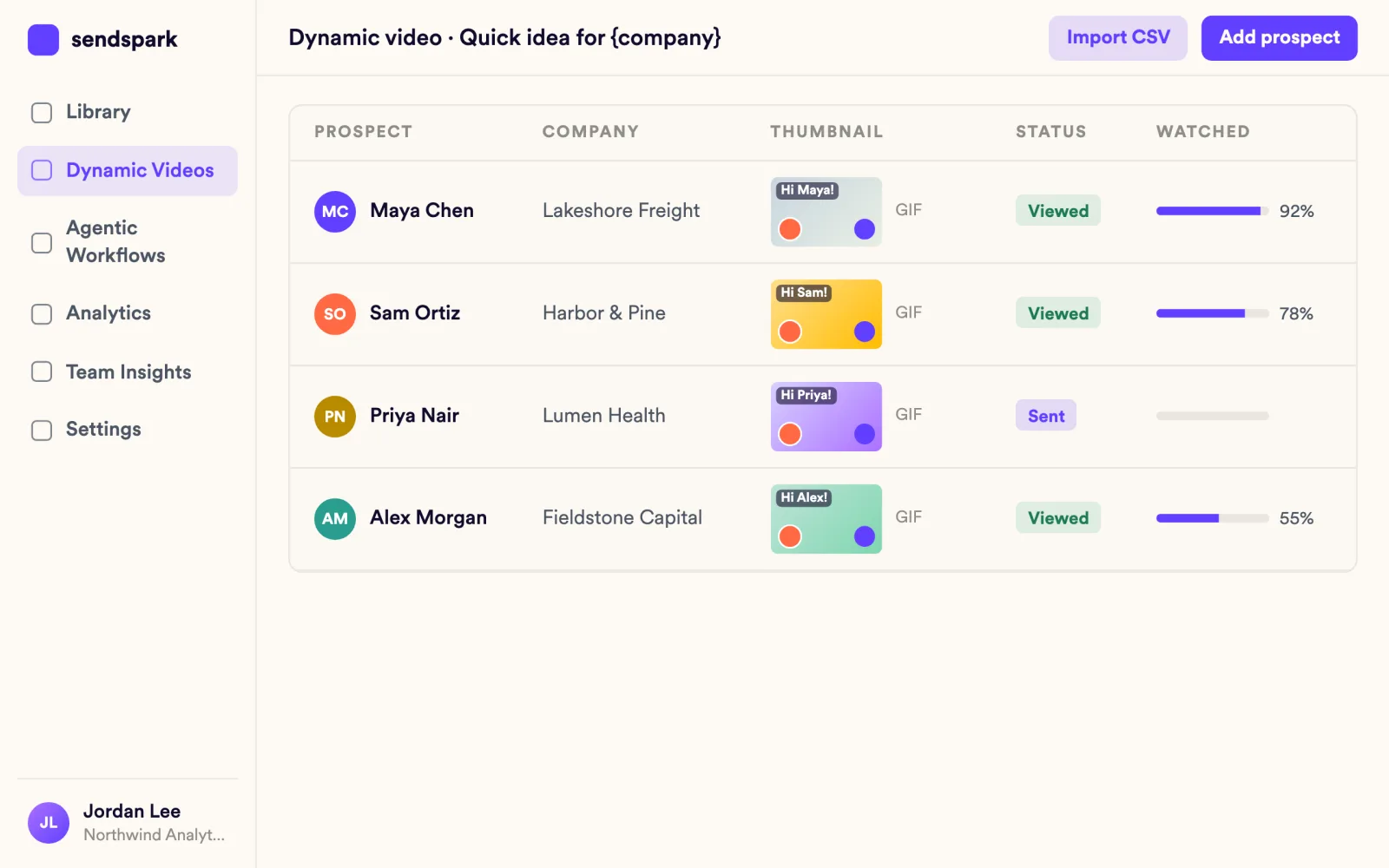
Call the prospects who watched. View notifications tell you who opened the video and how much they saw, so the call starts warm.
Video Analytics - 4
The follow-up
Let a workflow send the next video when the sequence step fires, with no new recording.
Automated Workflows
Every prospect hears their name in your voice
Say a placeholder name while you record. Sendspark clones your voice to say each prospect's first name and puts their website or LinkedIn profile behind you. Import prospects by CSV or from HubSpot, Salesforce, Clay, RB2B, Warmly, Expandi or Salesforge.
Explore AI Personalized Video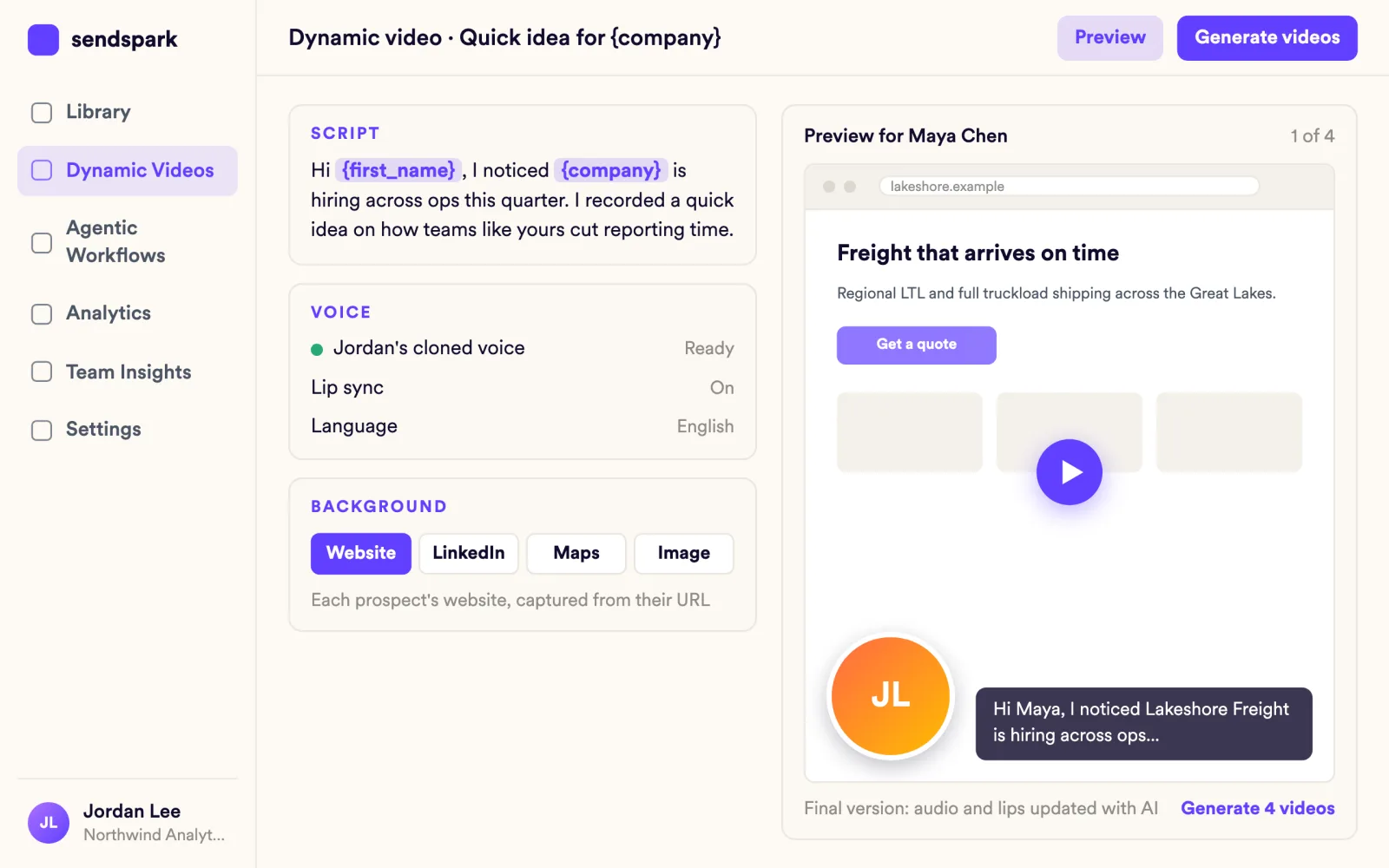
Every preview already looks made for them
Most inboxes don't play video, so each email gets an animated GIF thumbnail with a play button. Personalized thumbnails overlay the prospect's name and company logo on that preview.
Explore GIF Thumbnails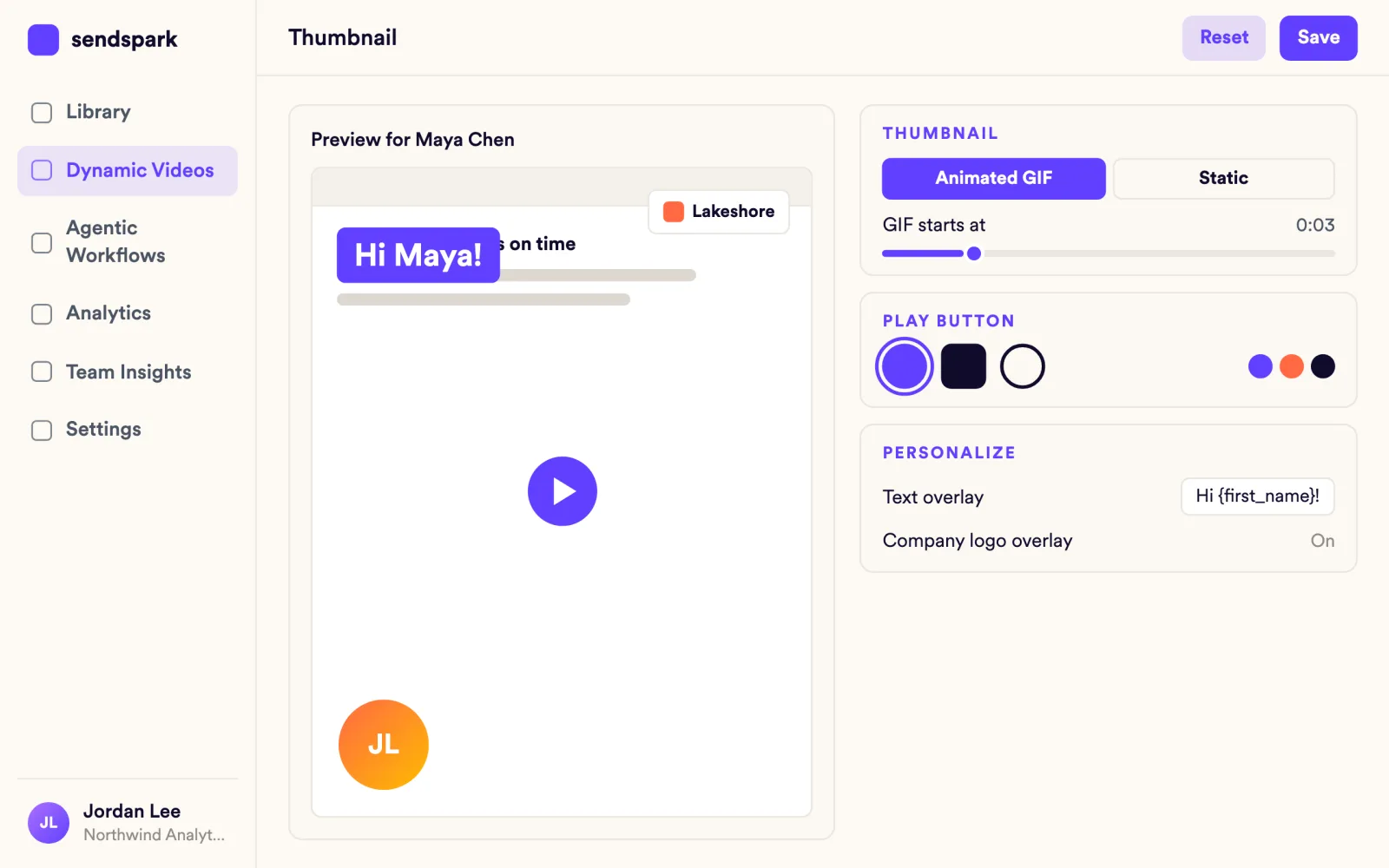
Every viewer has your calendar one click away
Every video opens on a branded page with your logo and colors (custom logo and domain on Growth and above). Add CTA buttons that open your calendar or a URL, and embed a booking calendar from Calendly, Chili Piper, HubSpot and 21 other tools.
Explore Landing Pages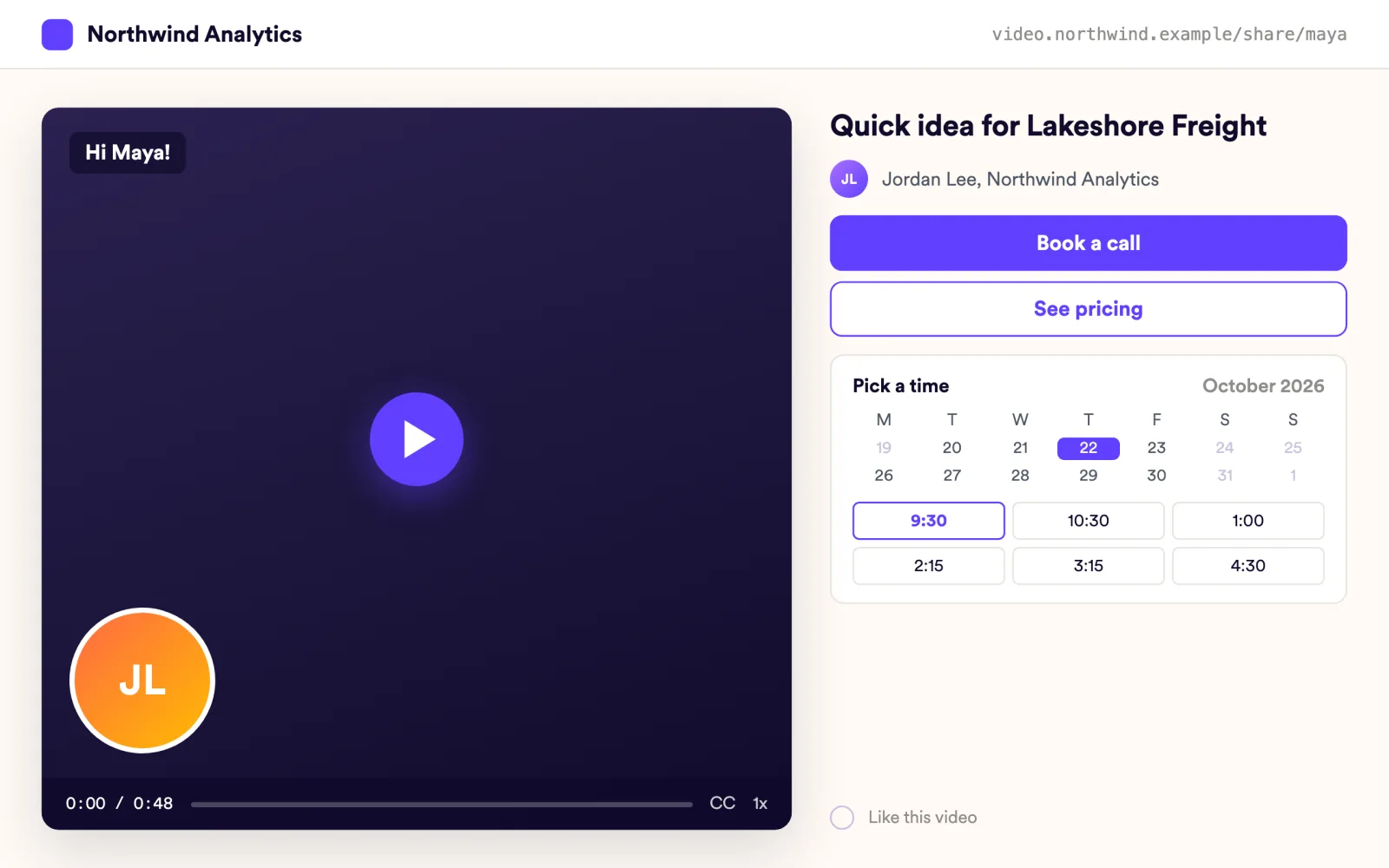
You call the ones who watched, while they still remember
View notifications and engagement alerts reach you as prospects watch, so you can call while the video is still fresh. Per-video analytics show how much each person watched and who clicked the CTA.
Explore Video Analytics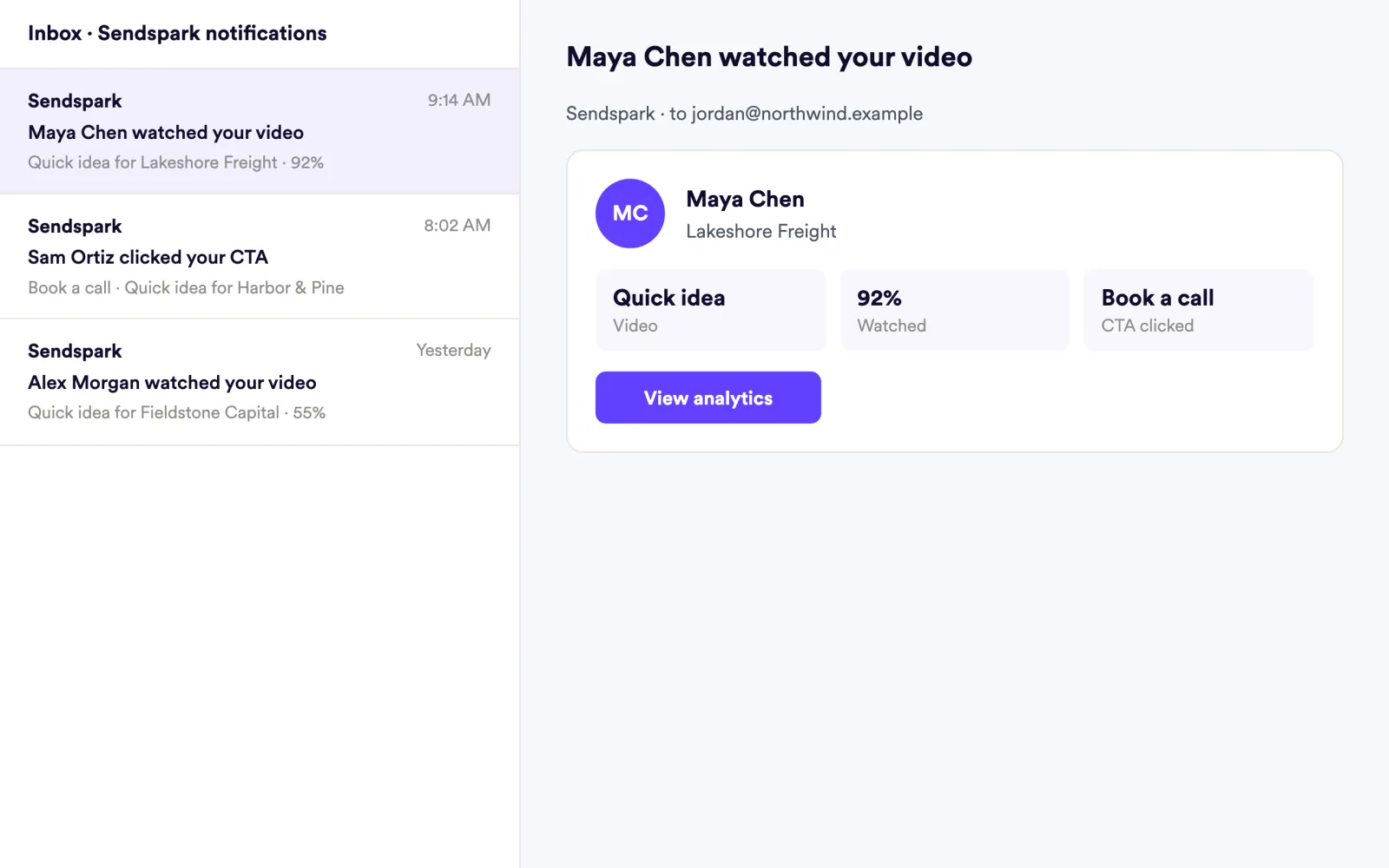
Teams that closed the gap
The ability to scale and import CSVs of contacts and leads cuts down my time dramatically. Now, I can record one video and still have the same personalized approach, saving me hours.
Sendspark helps us increase the level of humanization, personalization, and trust in our prospecting emails to establish ourselves in the space and land big clients.
 Outreach
 Salesloft
 Apollo
 Instantly
 Smartlead
 lemlist
 Reply
Reply Saleshandy
 Amplemarket
 HeyReach
 Expandi
 La Growth Machine
 Dripify
 Clay
Clay RB2B
RB2B Warmly
 Calendly
 Chili Piper
 HubSpot
Frequently asked questions
Do I have to record a video for every prospect?
No. Record once, and Sendspark creates a video, thumbnail and landing page for each prospect, with their name spoken in your cloned voice.
Can I send Sendspark videos from Outreach, Salesloft or Apollo?
Yes. Paste a personalized video snippet into Outreach, Salesloft, Apollo or any of 70+ email, LinkedIn and sales tools. The Chrome extension also inserts videos inside Gmail, and there are instant integrations for LinkedIn, Outreach, Close, Salesforce and ZoomInfo.
Will the video play inside the prospect's inbox?
Most inboxes don't play video. Sendspark gives you an animated GIF thumbnail with a play button that links to the video's landing page, which works in Gmail, Outlook and any sales tool.
How do I know which prospects watched?
Per-video analytics show who viewed, how much they watched, CTA clicks and likes. You get view notifications and engagement alerts, and you can export the data to CSV.
Can videos be sent automatically from my sequence?
Yes. Automated Workflows generate and send a personalized video when a trigger fires, such as a contact being added in your CRM or a step in a sequence. Workflows are available on Growth and above.
What does it cost to start?
Solo at $49 per month is the entry paid plan and includes AI voice cloning, name personalization, dynamic backgrounds and personalized thumbnails. Multiple AI variables per video are on Growth and above.
Updated
Make your next outreach personal.
Record one video and let Sendspark do the rest.