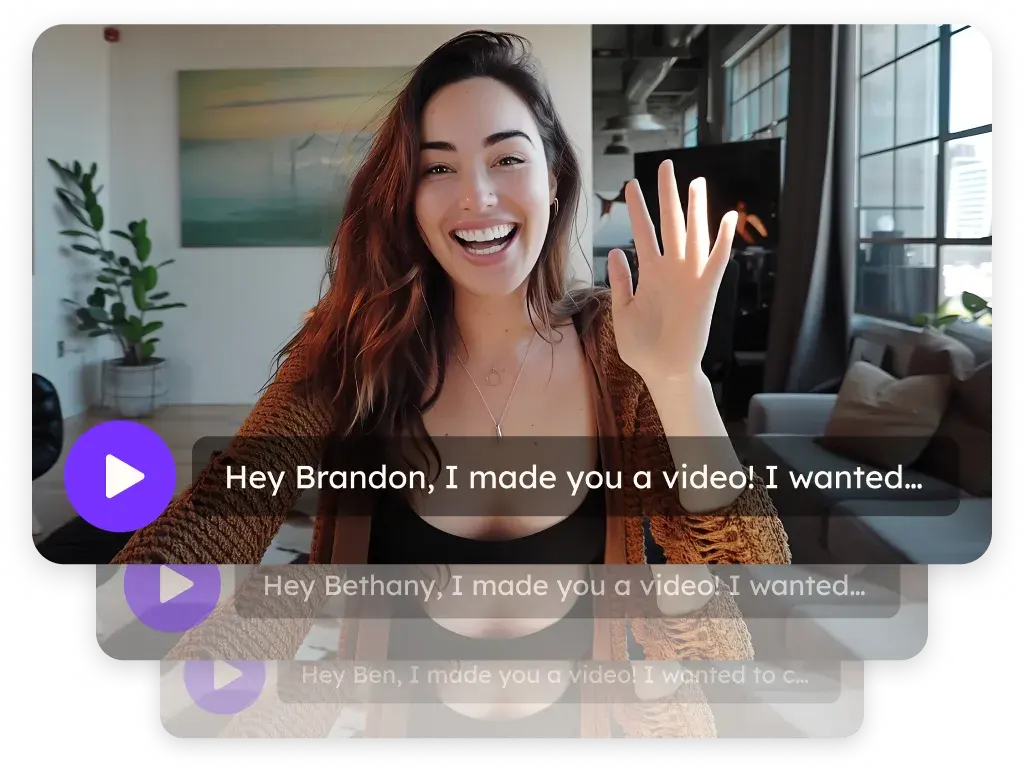
Video for deal progression and sales follow-up
Sendspark is an AI personalized video platform that account executives use after the first meeting to send recaps, walk stakeholders through a proposal and keep a mutual plan moving. Each video gets a branded page and analytics that show who watched, and it sends from Gmail, Outlook or your CRM.
 SOC 2 Type II
- Read reviews on G2
Trusted by sales and marketing teams at


Follow-ups that go quiet after the demo
The recap gets skimmed, the proposal is forwarded to someone you've never met, and the thread stalls until the next scheduled call. Every stakeholder hears a slightly different version of what you said.
Where a video keeps the deal moving between meetings
The recap
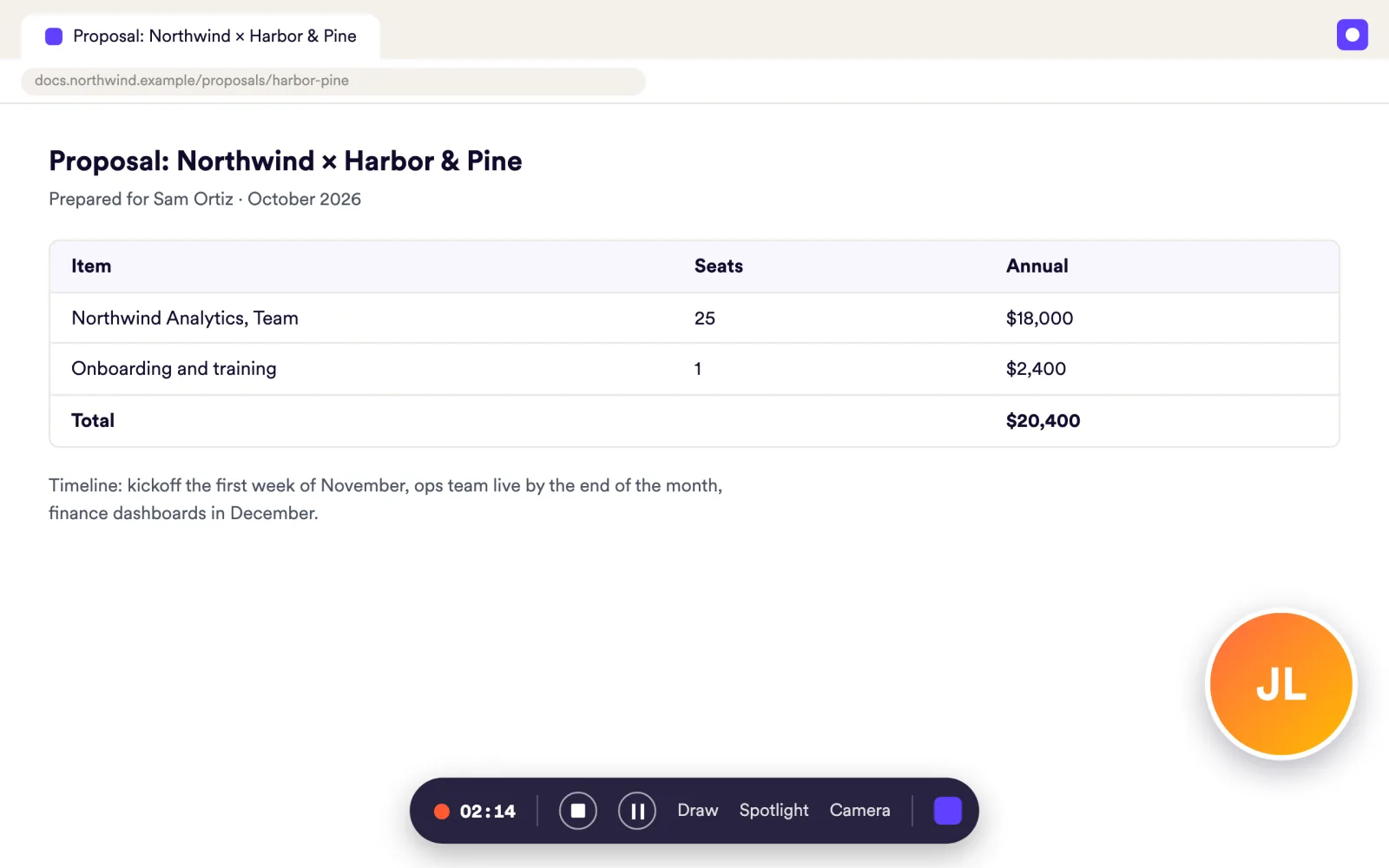
Record your screen and camera the same afternoon: what you heard, what you showed, what happens next. Trim the pauses and add your intro.
Record VideosThe proposal walkthrough
Walk through the pricing page on screen so the champion can replay it. Add a Download file CTA for the PDF and a calendar CTA for the next call.
Landing PagesThe stakeholder intro
When a new decision maker appears, send a short video made for them instead of a forwarded thread. Password protect it if the deal is sensitive.
Landing PagesThe silent stakeholder
Watch-percentage analytics show which stakeholders watched to the end and who skipped. Engagement alerts tell you when the CFO finally opens it.
Video Analytics
Your recap is in their inbox the same afternoon
Record screen, camera or both from the Chrome extension or the desktop app for Mac and Windows, at up to 1080p. Trim several segments, combine clips, and add an intro to any video.
Explore Record Videos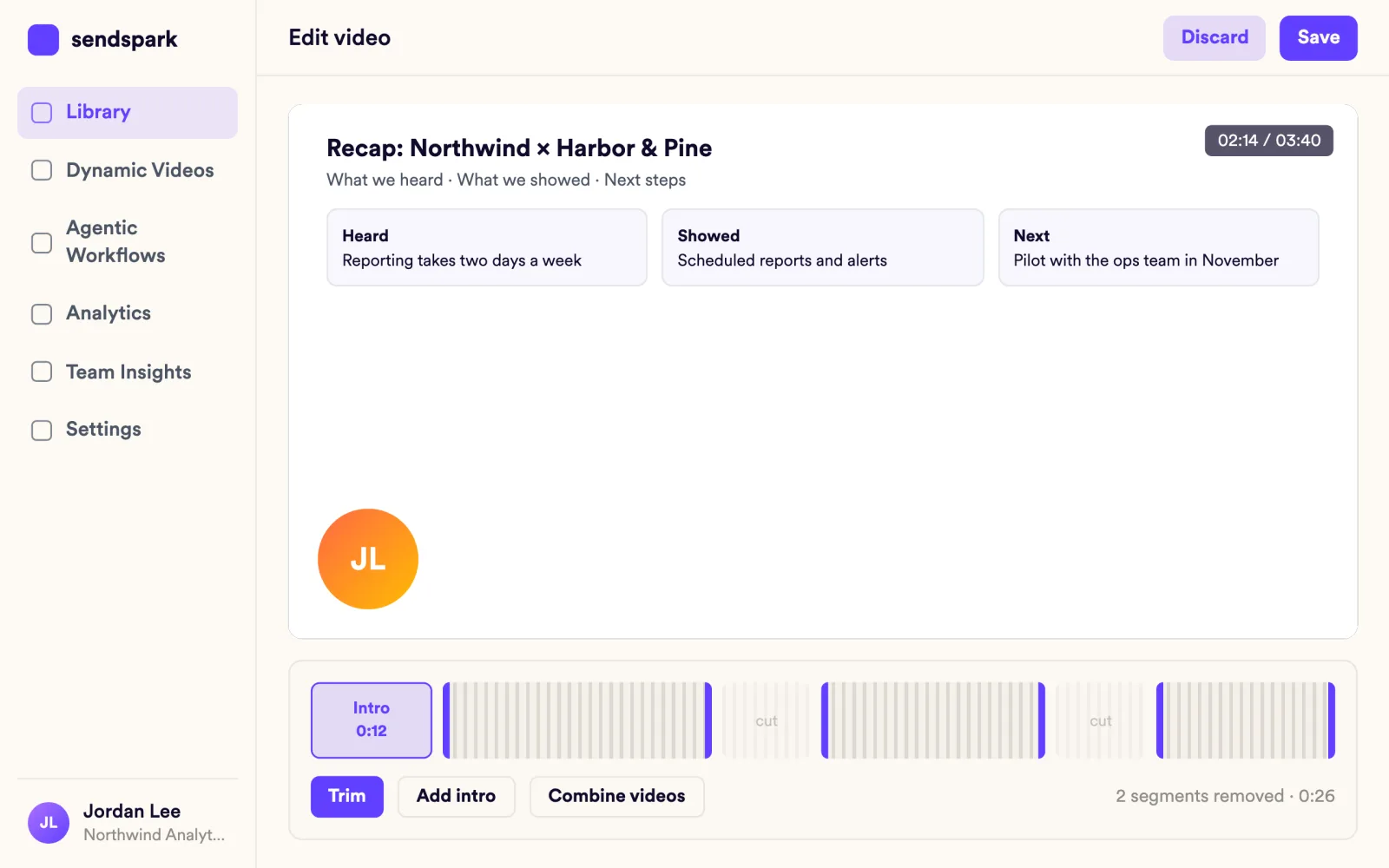
Every stakeholder sees the same next step
Each video opens on a branded landing page with several CTA buttons: book a call, see pricing, download the proposal. Embed a booking calendar from Google Calendar, Outlook, HubSpot or Calendly.
Explore Landing Pages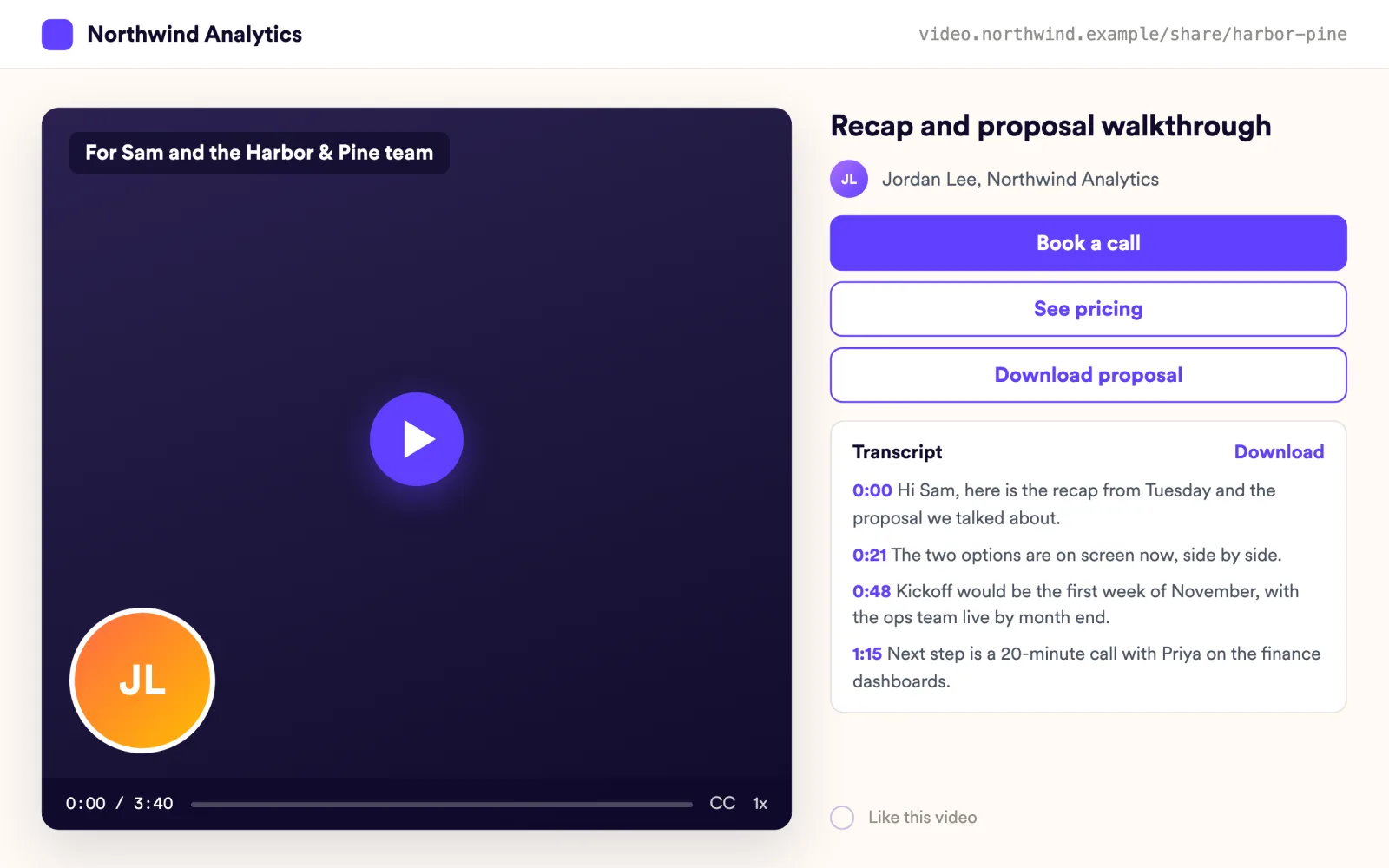
You know who watched to the end and who skipped
Per-video analytics list who viewed, how much they watched and who clicked. Alerts reach you when someone new opens the video, so you follow up with the right person at the right moment.
Explore Video Analytics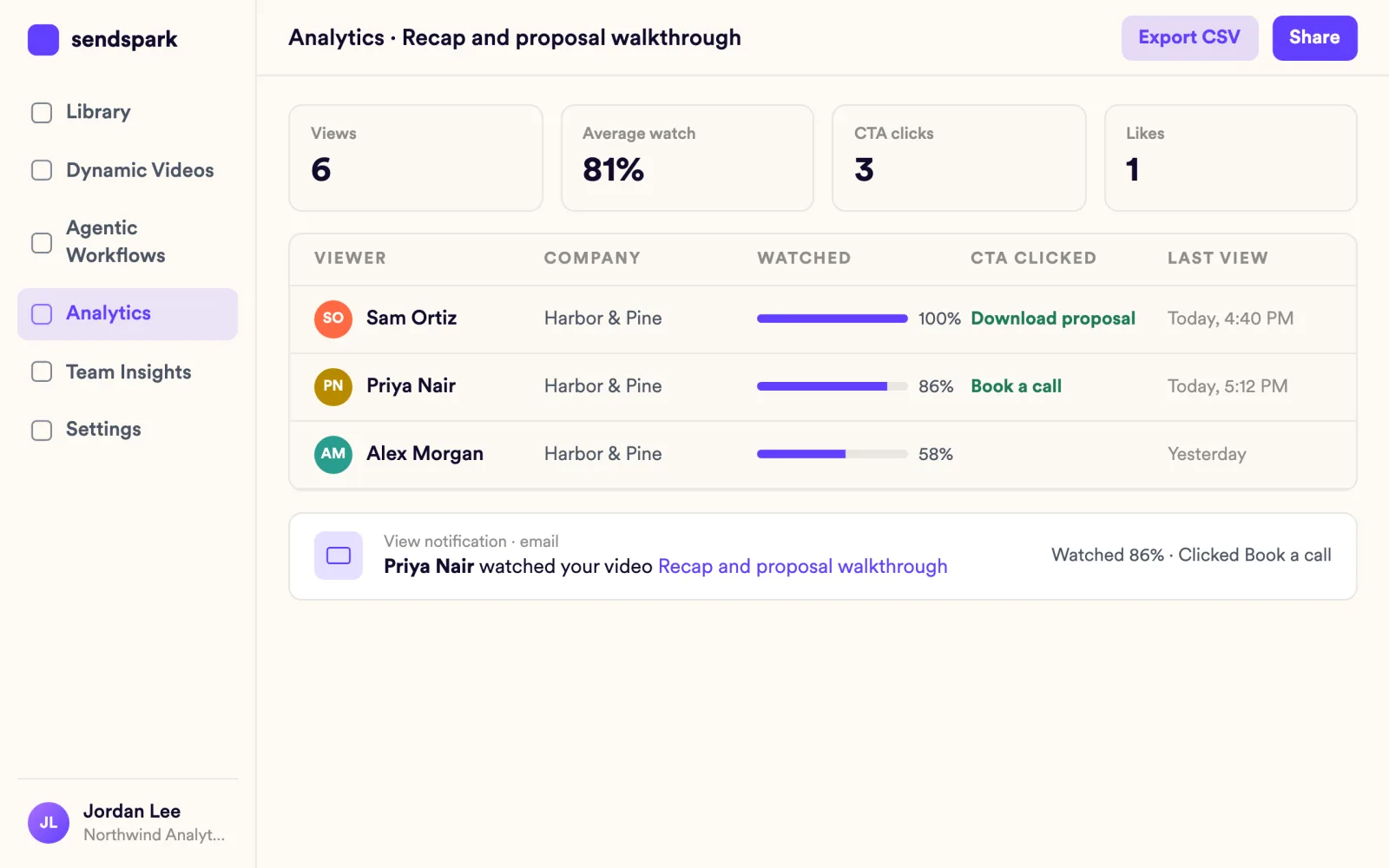
Everyone on the thread can follow along, even on mute
Auto captions, captions in other languages and a viewer transcript panel make a recap easy to skim. You can also download the transcript for your deal notes.
Explore Record Videos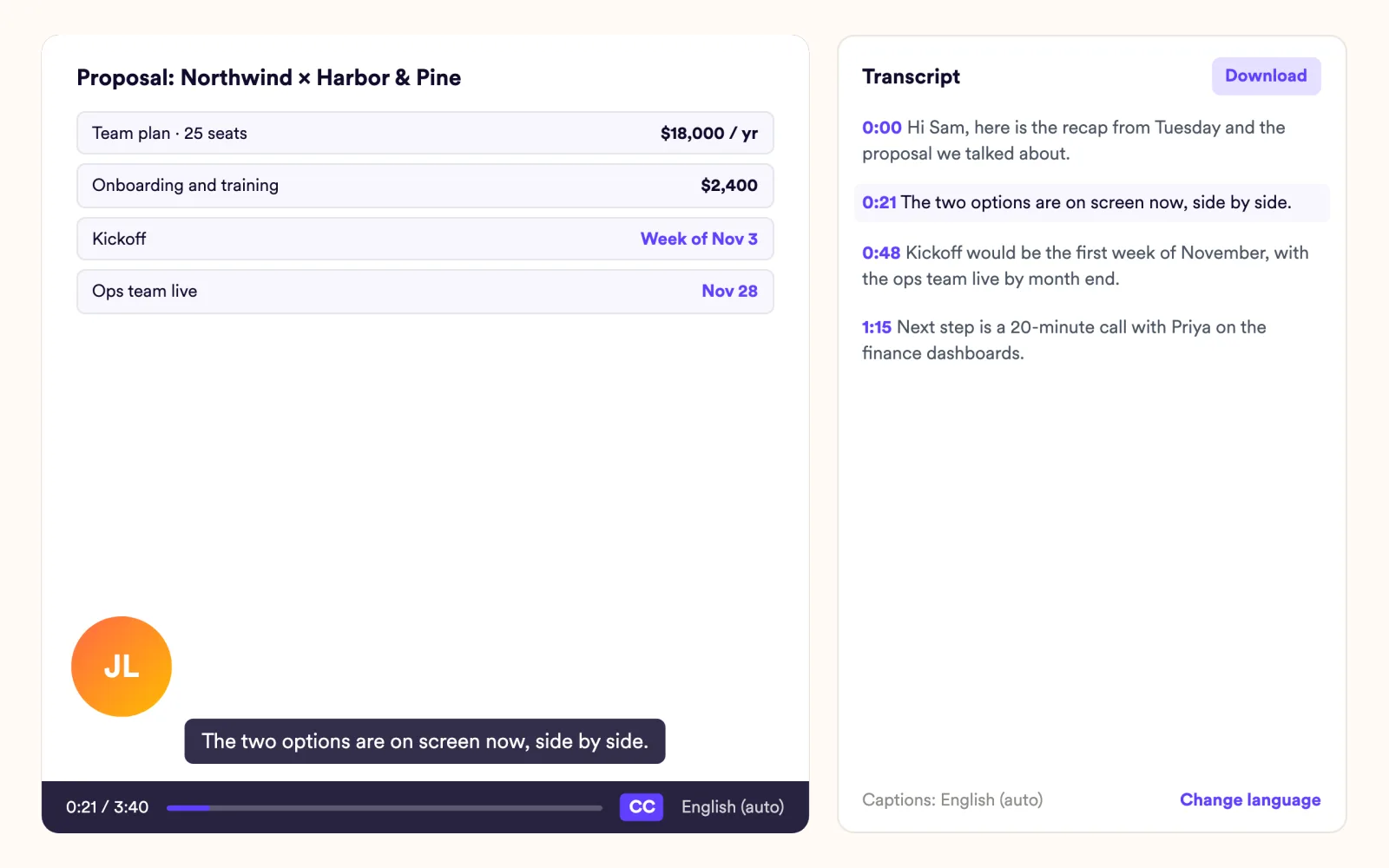
Teams that closed the gap
We saw this as an opportunity to bring the 'aha moment' of our product … forward in the sales process.
Works with your CRM and inbox
See all integrations Salesforce
 HubSpot Sales Hub
 Pipedrive
 Close
 Zoho
 Gong Engage
 Groove
 Mixmax
 Gmail
 Outlook
Frequently asked questions
Can I record my screen and camera at the same time?
Yes. Record screen, camera or both from the Chrome extension or the desktop app for Mac and Windows. Screen capture goes up to 1080p, and you can upload existing video files too.
Can one video have more than one call to action?
Yes. Landing pages take several CTA buttons. Each can open a URL or calendar, call a phone number, send an SMS or download a file.
Can I keep a proposal video private?
Yes. Password protection is available for private videos on their landing page.
How do I know whether the decision maker watched?
Per-video analytics show each viewer, how much they watched, CTA clicks and likes. View notifications and engagement alerts tell you when someone watches.
Does Sendspark work with Salesforce and HubSpot?
HubSpot's basic integration is on all plans, and the advanced Salesforce integration is on Growth and above. You can also paste a video snippet into Pipedrive, Close, Zoho or any of 70+ email and sales tools.
Updated
Make your next outreach personal.
Record one video and let Sendspark do the rest.